Modeling digitals vs portfolio photos vs comp card images
Learn the difference between modeling digitals, portfolio photos and comp card images, what each one should show and where to use them.
Digitals, portfolio photos and comp card images are related, but they are not interchangeable. Each answers a different professional question: what do you look like, what can you do in front of a camera and how can your strongest information be summarized quickly?
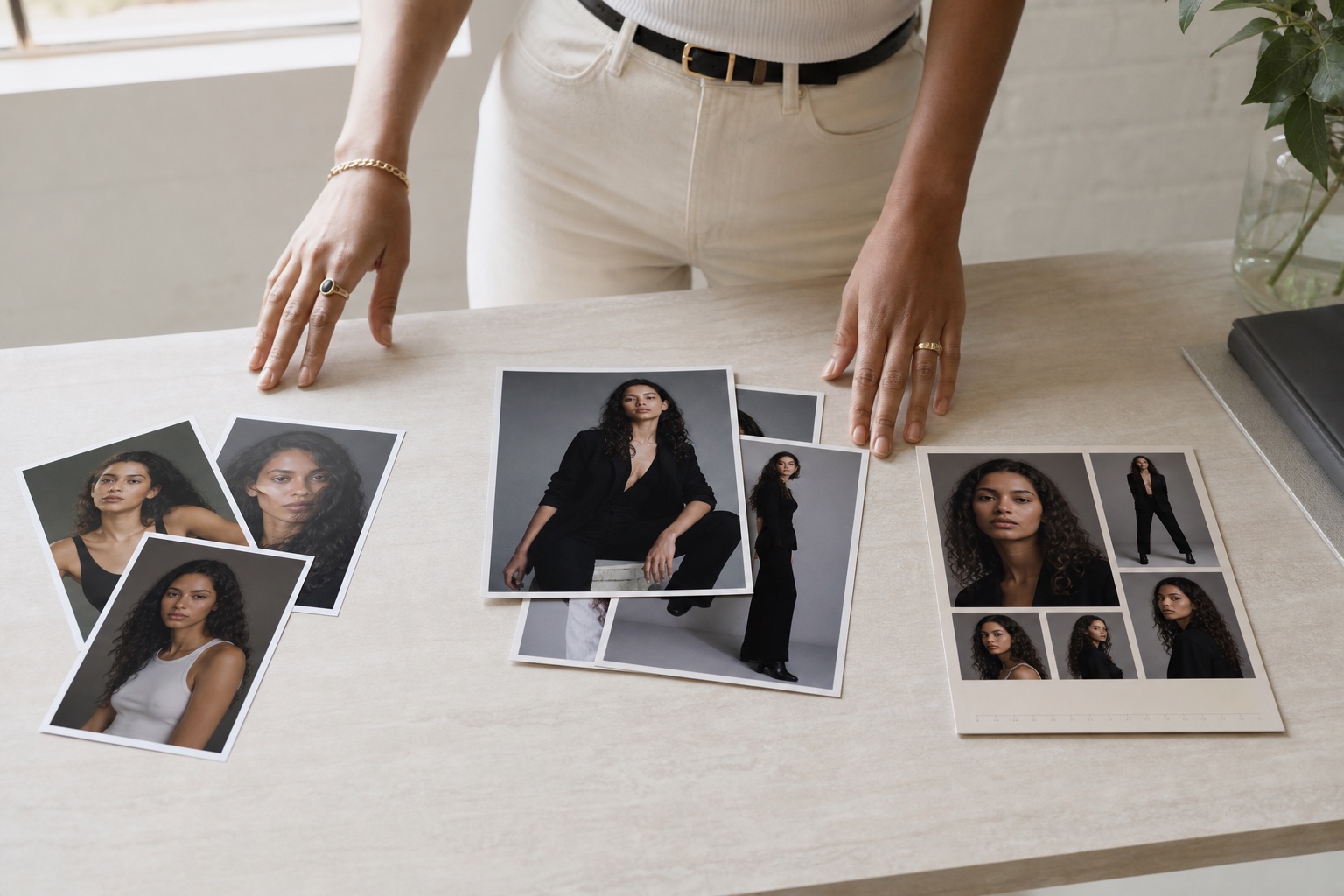
Quick Answer
| Photo type | Main purpose | Typical style | | --- | --- | --- | | Digitals | Show your current natural appearance | Simple, unretouched, neutral | | Portfolio photos | Show range, expression and ability | Styled, directed, professionally finished | | Comp card images | Summarize your strongest marketable selection | Curated mix with measurements and contact details |
Build in that order: digitals first, portfolio work second and a comp card after you have enough strong photographs.
What Are Modeling Digitals?
Digitals, sometimes called polaroids or snaps, are straightforward photographs of your current appearance. Professionals use them to see your face, proportions, posture, hair and skin without heavy styling.
A basic set includes:
- Front-facing headshot
- Full-body front view
- Side profile
- Optional three-quarter or smiling image
Use natural light, fitted simple clothing and a plain background. Avoid filters, dramatic poses, heavy makeup and aggressive retouching. Learn the full setup in our modeling digitals guide.
What Are Portfolio Photos?
Portfolio photos show how you perform within a creative or commercial direction. They may involve a photographer, styling, makeup, controlled lighting and a specific concept.
Useful portfolio images demonstrate something distinct:
- A commercial smile or approachable lifestyle moment
- Editorial shape, expression or movement
- Beauty lighting and close-up control
- E-commerce posture and clothing presentation
- Fitness movement or athletic presence
Portfolio photographs can be polished, but they should still represent you accurately. A strong image shows both the team's production and your contribution as a model.
What Is a Comp Card Image?
A comp card is a compact professional summary. It usually combines one leading image, several supporting images, your measurements and contact or agency information.
The photographs on a comp card normally come from your existing portfolio. They are not a separate type of shoot. The difference is the selection and layout: every image must work together in a limited space.
Read our complete model comp card guide or build a free comp card when your photo set is ready.
Can the Same Photo Be Used More Than Once?
Yes, when the photograph fits both purposes.
A strong natural headshot may appear in your portfolio and on the front of your comp card. A clean full-body digital can support a beginner profile while you build more professional work.
But a highly retouched editorial image should not replace a digital. A screenshot of a completed comp card should not be uploaded as an ordinary portfolio photo. Keep the underlying photographs available as original files.
What Should a Beginner Create First?
Follow this sequence:
Step 1: Make Accurate Digitals
These let professionals assess your current appearance even if you have no previous experience.
Step 2: Add a Small Portfolio Selection
Plan images for one or two realistic disciplines. Begin with the exact shot list in our beginner portfolio guide.
Step 3: Create a Comp Card
Once you have one leading photograph, several supporting images and accurate measurements, arrange them into a clean comp card.
Step 4: Keep Everything Current
Refresh digitals when your appearance changes. Replace weaker portfolio work as you create better images. Update your comp card whenever its photographs or measurements are no longer accurate.
Where Each Photo Belongs on Your Profile
Use the photo category that matches the image's purpose:
- Put natural headshots and full-body reference images with your digitals or polaroids.
- Put styled, discipline-specific work in the relevant portfolio section.
- Save the finished comp card in the comp card section rather than using a screenshot as a portfolio image.
Clear categories help professionals review your profile quickly and prevent strong work from being overlooked.
Common Mix-Ups
- Calling every smartphone photo a digital
- Using a filtered selfie as a headshot digital
- Treating a comp card screenshot as a portfolio photograph
- Filling a comp card with five nearly identical images
- Using only styled work and providing no current natural reference
- Uploading digitals with editorial posing and heavy makeup
- Assuming professional photography is required before you can start
A Simple Starter Package
If you are beginning today, aim for:
- Three to five clean digitals
- Three to six distinct portfolio photographs
- Accurate measurements and profile details
- One comp card after the selection is strong enough
You do not need all of this on day one. Start with accurate information, then add quality and range over time.
What to Do Next
Audit the files on your current profile and label each one: digital, portfolio or comp card. Move misplaced images, replace screenshots with original files and remove anything that serves no clear purpose.
If file quality is the problem, use our guide to uploading full-quality photos before updating your profile.